

Gmail new unsubscribe feature
Introduction to Gmail
Gmail is one of the most popular email services provided by Google, a giant tech company worldwide. Email stands for Electronic Mail, which is a modern mail service provider with many features over traditional mail service.
Google, which is the parent company of Gmail (Google Mail), has been ruling this category for many decades due to its easy user interface, features, and many other facilities provided by Google.
Gmail was launched in 2004 by Google as a free email service. It allows sending, receiving, and organizing emails easily. Its integration with other Google services like Google Drive, Google Calendar, and Google Meet, and also features like spam filtering and powerful search features, has made Gmail one of the most loved and used email services for both individuals and businesses.
New Manage Subscription Feature
Brief Introduction
Google has come up with a new feature called “Manage Subscription” to get rid of unwanted and unnecessary emails. This feature will be more effective for those who receive more promotional or subscription emails. With these features, users would get a clear inbox dashboard compared to the cluttered dashboard before.
This feature allows users to manage, review, and unsubscribe from those emails that users don’t want to receive. Now, Gmail will show the entire list of senders in the Inbox dashboard that users are sending and receiving emails from regularly. The one with the most contacts or sent emails will appear at the top so that the user can easily identify the most sent emails and can manage subscriptions and clear old or unused mail to get rid of space.
On every sender name, Gmail will show an “Unsubscribe” button so that the sender can get automatic notification to not to mail. This process is easy, simple, and quick to unsubscribe sender.
When will this feature be available?
- This feature is now available on the Gmail web version only from July 8, 2025.
- It will be available for Android from July 14, 2025.
- It will be available for IOS from July 21, 2025.
- It might take a couple of more days to fully implement for all users, depending on location and device
Who can use this feature?
This feature is available only for:
- Google Workspace individual subscriber
- Google Workspace customers, i.e, for organizations or schools, etc
- And also for Personal (Individual) Google Accounts.
How to Find the Manage Subscription Feature?
- Open Gmail (App or Web)
- Click on the top left menu
- Go to the Mail section
- Click More under Promotion
- You can see Manage Subscription over there once you select the mail that you want to unsubscribe from
- Select manually and start managing them
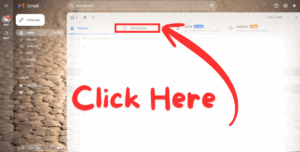
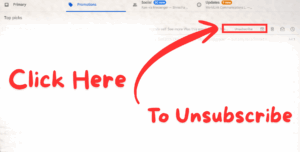
This new feature from Google is expected to manage email more effectively, efficiently, and easily accessible for users without being disturbed by unwanted and unnecessary promotional emails.
Thank you
also read Lenovo Legion 5 15IRX10 Gen 10 2025
